
How to Record Vocals Over a Beat: A Practical Guide

Learning how to record vocals over a beat is mostly about making a comfortable, repeatable setup. You do not need a treated studio to capture a useful take, but you do need to hear the instrumental clearly, keep the microphone from recording it, and leave enough space in the arrangement for your voice. Start with those basics before adding effects or buying more gear.
Prepare the room and the recording session
Pick the quietest room available and turn off anything that adds steady noise, such as a fan or television. Record a short test and listen for traffic, computer fans, room echo, and handling noise.
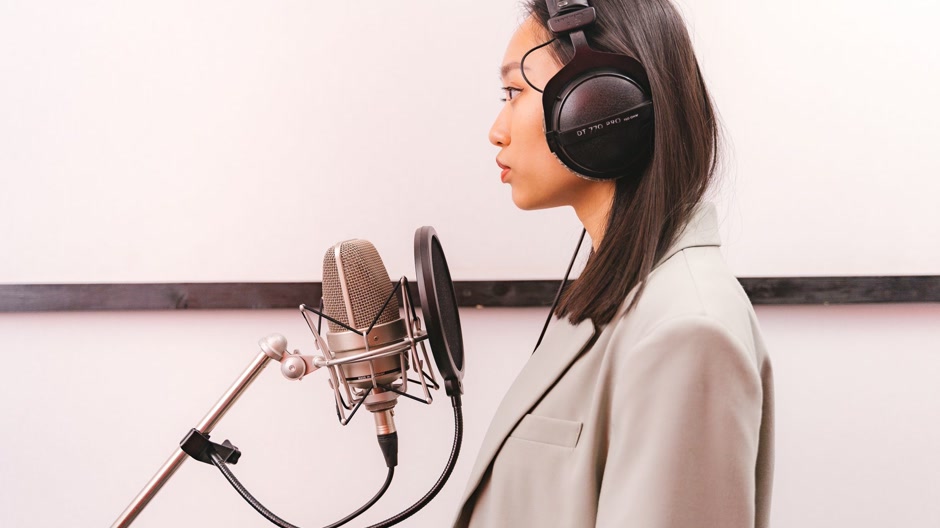
Connect the microphone and headphones, create a vocal track, and import the beat as an audio file. Keep the beat separate from the vocal track. Closed-back headphones help stop speakers from leaking the instrumental back into the microphone.
Set the beat level and avoid monitoring delay
Turn the beat down enough that you can hear your own voice naturally through the headphones. If you keep pushing the headphone level to compete with the instrumental, your performance may become tense and your ears will tire sooner. The goal is not to make the beat quiet in the final mix. It is to create a comfortable cue mix while tracking.
Choose either direct monitoring from your audio interface or software monitoring, then check the delay before recording a full take. If the voice sounds doubled or arrives behind your mouth, lower the audio buffer in the DAW or use direct monitoring. Do not compensate by moving the vocal after every take. First fix the monitoring path, then record a short test phrase to confirm that the timing feels natural.
- Keep the beat on its own track.
- Wear closed-back headphones.
- Check monitoring delay with a short phrase.
- Leave headroom on loud words.
Find a microphone position that stays consistent
Place the microphone around a handspan from your mouth and angle it slightly off-axis. A pop filter helps control bursts of air on sharp consonants. Keep your feet planted and mark the position if you tend to move while performing. The exact distance depends on the microphone and the sound you want, but consistency matters more than chasing a single perfect measurement.
Set the input gain while performing at the loudest level you expect to use. Watch the recording meter and leave headroom instead of trying to record as close to the top as possible. If a loud word distorts, lower the gain and record another test. Digital clipping cannot be repaired by turning the track down later. Aim for a clear signal with no red peaks, then use the mix to bring the vocal forward.
Record a guide take before polishing the lyrics
Run the instrumental from the beginning of the section and record one full pass without stopping for every small mistake. The guide take tells you whether the lyrics fit the beat, whether your breaths land in sensible places, and which lines need a different rhythm. Mark the parts you want to redo instead of judging the whole song from one imperfect phrase.
Make room for the voice in the arrangement
If every instrument competes in the same register as your voice, the problem may not be the microphone. Lower the beat in your headphones and listen for the element masking the words. In the mix, small level or equalization changes can make room, but do not carve away the character of the instrumental before checking whether a different performance or section works better.
A beat with a clear center and uncluttered gaps can make the first recording session easier. For example, Intimacy leaves a gentle, open setting for a vocal that needs room to phrase and breathe. Place the widget below to audition the beat, then compare it with other options in the neo soul instrumentals or browse the wider instrumental catalog.

Choose the best lines and organize the session
Name tracks clearly, save a new version before major edits, and keep the beat file in the project folder. When you export a rough mix, listen once on headphones and once on ordinary speakers or earbuds. Check that the words are understandable, the beat has not disappeared under the voice, and no edit clicks or clipped endings remain. A rough mix is a test of the recording, not a final release master.
Frequently asked questions
Can I record vocals over a beat at home?
Yes. A quiet room, a suitable microphone, headphones, and careful gain setting are enough to make a useful home recording. Reduce room noise and listen to a test before recording the full song.
How do I stop the beat from leaking into the microphone?
Use headphones instead of speakers, keep their level comfortable, and check that the microphone points toward your mouth rather than toward a headphone cup. Closed-back headphones usually reduce spill.
Why does my vocal sound late while I record?
Software monitoring can introduce latency. Try direct monitoring or lower the DAW audio buffer, then record a short test to make sure the voice feels aligned before tracking the song.
Should I record the whole song in one take?
Make one full guide pass to test the performance, then record difficult sections in smaller chunks. Keep every take until you have chosen and checked the final edits.


