
How to Buy Beats Online: Licences, Files and Red Flags

Learning how to buy beats online is not about finding a cheaper checkout. It is about knowing what lands in your inbox after you pay. Most artists who get burned do not lose money on the beat itself, they lose it later, when a distributor asks for the licence or when the producer disappears with the file that was supposed to be untagged.
A serious seller answers four questions before you reach the payment page: what the licence allows, which files you get, who keeps the rights and how you prove the purchase. Everything below is that checklist, written from the side of the store.
What you are actually buying
When you buy rap beats online you are not buying the instrumental as a piece of property. You are buying permission to record over it, under conditions printed in a licence. The producer keeps the copyright of the composition, you own the new recording you make on top. That split is normal and it is the reason a lease can be sold to several artists while an exclusive cannot.
So the price is only half of the decision. A 25 dollar lease that covers the release you are planning is cheaper than a 15 dollar one that caps you at a thousand streams, because the second one forces you to buy again the week the song starts moving.
Read the licence before the price
Every store with a real catalogue publishes its terms. Read them once, before you fall in love with a beat, and the checkout stops being a gamble. The points that matter are the same everywhere: how many streams and sales the licence covers, whether you can monetise on YouTube, whether a music video is included, and how credit has to be written.
The names change from store to store, so ignore the labels and look for the numbers. A basic lease usually ships an MP3 with a stream cap. A premium one adds a WAV and a higher ceiling. A trackout licence gives you every instrument on its own track, which is what a mixing engineer will ask for. An exclusive removes the beat from the catalogue at a price that reflects it.
The full terms of this site are public, and reading somebody else's is a good warm up: after two pages you will spot the stores that never wrote any.
The files that should arrive after checkout
Delivery is where cheap stores show themselves. If you pay and receive a tagged MP3 with a thank you note, you did not buy a licence, you bought a demo. A complete delivery looks like this:
- Untagged audio at the quality the licence promises (MP3 320, WAV or both)
- The trackout when the licence includes it, one file per instrument, aligned at zero
- A written licence with your name, the beat, the date and the limits you paid for
- A receipt or invoice from the store, not a screenshot of a transfer
- A way to reach the producer that still works in two years
Keep all of it in one folder per song. The day a distributor, a label or a content ID system asks, that folder is your defence, and a DM history is not.
Check the producer, not only the beat
A catalogue is a portfolio. If every beat on the store sounds like the same loop with a different hat, you are buying from somebody who is learning in public. Look for range: tempo, mood and a few instrumentals that would not fit your project but clearly took work.
Then check the boring parts. Does the store have a licence page, a contact address and a real checkout? Are the beats named and tagged consistently, or uploaded as beat 12 final final? Consistency is the cheapest signal of a producer who will still answer the email when your song comes out.
Red flags at checkout
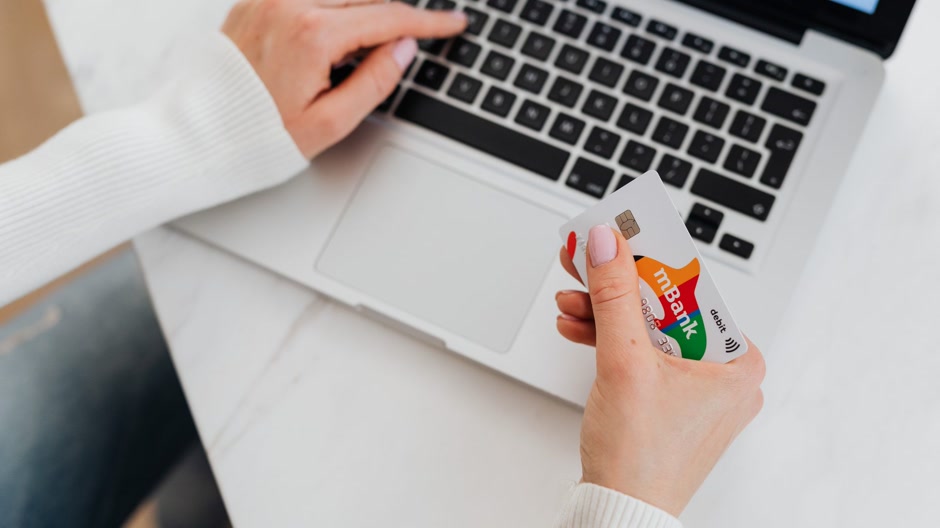
Most bad purchases are visible before you pay. Walk away when the seller asks for a bank transfer to a personal account, when the only licence is a paragraph in a DM, when an exclusive costs less than a lease elsewhere, or when the beat in the preview is not the beat in the folder. Also walk away from any store that cannot tell you what happens if the song goes viral.
Start from a catalogue you can search
The cheapest place to buy beats is not always the best one, but a store you can filter by mood and tempo saves an hour of scrolling. Every instrumental here has a full preview, its licences and price on the page, and a checkout that ends on a real beat store. Start with trap instrumentals if you already know the lane, or open the full catalogue and work backwards from the mood you hear in your head.
A good example of what to expect from a paid file is Yummy, a melodic trap instrumental with a flute line that sits above the drums, so the vocal has somewhere to go. Listen to how the arrangement opens at the sixteen, which is the part a lease does not show you in a thirty second preview.

FAQ
Can I release a song on Spotify with a leased beat?
Yes, if the lease covers distribution and the stream ceiling of your release. Check the cap before you upload and keep the licence PDF with the master files.
Do I need an exclusive to monetise on YouTube?
No. Most leases already allow monetised videos up to a limit. What an exclusive buys you is the end of other artists recording on the same beat.
How much should I expect to pay online?
Leases usually run from 20 to 100 dollars depending on files and limits, trackouts sit in the middle, and exclusives start in the low hundreds. Anything far below those numbers is usually a demo with a licence written after the fact.
What if the producer never sends the untagged file?
Open a dispute with the payment provider the same week, with the licence and the conversation attached. It is also the reason to buy from a store with a checkout instead of a direct transfer: there is a record of what you paid for.


