
How to Organize Your Samples So You Actually Use Them

A sample library stops being useful the moment it grows past a few gigabytes. You know the kick exists, you can hear it in your head, and you spend twenty minutes clicking through folders called New Folder (3) trying to find it. So you buy another pack, the library gets bigger and the problem gets worse.
Organizing samples is a search problem, not a filing problem. The goal is not a perfect tree of folders, it is opening the browser, typing two words and getting the six sounds that fit. Every decision below is built around that test: if you cannot find a sound in fifteen seconds, the library is not organised, whatever it looks like.
Decide the rule before you move one file
Choose one top level split and never break it. The one that survives years of pack downloads is type first, source second. Drums, loops, one shots, vocals, recordings, and inside each of those the name of the pack or the record it came from. Two levels, no more. A path you cannot remember is a path you will not use.
By type rather than by genre, because a pack can be boom bap this week and lo-fi trap the next, and a genre folder forces you to choose one. Type never changes. Mood and genre belong in tags, where a single sound can sit in several places at once.
- One collection per type of sound: drums, loops, one shots, vocals, recordings
- One folder per pack or source inside it, with the name the pack shipped with
- No folder called Misc, Other or New Folder: if a sound has no home, it is not staying
- Anything not yet sorted goes to an Inbox folder with a date, and the inbox gets emptied every month
Name files the way you will search them
Most packs arrive with names like 05_Kick_03.wav, which tells you nothing about how the sound feels. When you keep a sample, rename it with four fields in a fixed order: instrument, source, tempo or key if it has one, and a short word for the character. Kick_Tape_Dusty, Snare_Rim_Tight, Loop_Rhodes_90_Cmin.
Underscores, no spaces, because every browser, DAW and system search treats them the same way. For a loop, the tempo is the field you will filter by most, so it earns its place in the name. A one shot does not need it. Keep the original name inside the pack folder if you ever have to trace a licence or a credit.
Tag what you will actually ask for
A tag is a word you would type, not a description. Dusty, warm, aggressive, sad, vinyl, clean, church, dark. Two or three per file, taken from a closed list you keep in a text file next to the library. If the list stays open, in six months you will have moody, mood, moody2 and moodyish, and none of them will find the sound you were thinking of.
The closed list matters more than the tag software. Pick a manager, a DAW browser or a plain spreadsheet, and then use the same vocabulary in all of them, because the day you switch tools the tags are what you carry across.
Find the duplicates before you organise anything else
Half of a library that has been growing for years is the same 808 under three names from three bundles. Remove the duplicates first, or you will tag the same file twice and hear it twice in every search result. Keep the highest bitrate copy and delete the rest.
On macOS or Linux a tool that compares content hashes does it in one pass. On Windows, any duplicate finder that checks the bytes and not just the file names. Keep a note of what you removed: a client will eventually ask for a sound you deleted and it is easier to say where it went than to pretend it never existed.
One drive, and a backup that points the other way
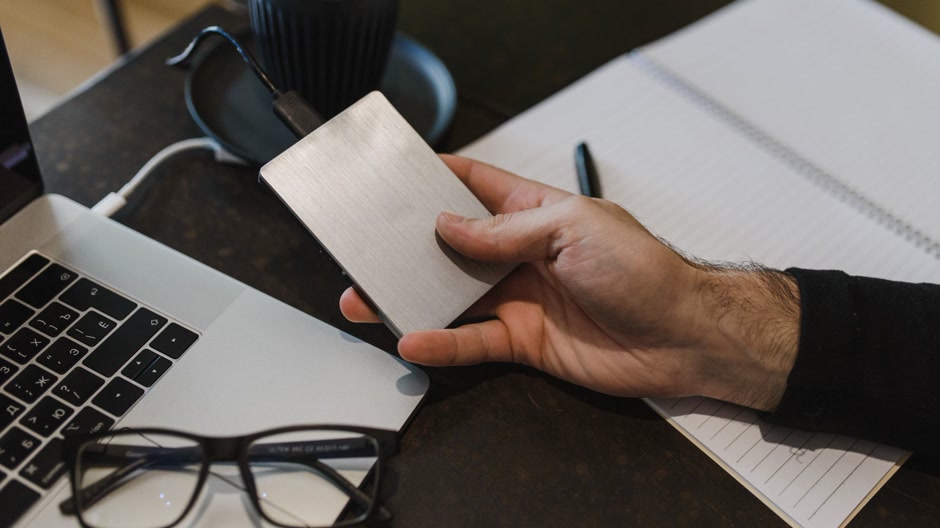
Keep the library on a single SSD at a path short enough to type from memory, and let the second drive hold the copy. A weekly sync is enough for a library that only grows, as long as the sync runs in one direction and you never overwrite the backup with an empty folder.
A sample collection cannot be bought back. Packs get pulled from stores, free downloads disappear and the records you recorded yourself are not online anywhere. One copy on the same machine is not a backup, it is a postponement.
Search it, do not browse it
Every DAW ships with a browser that has a search field, and most producers never type in it. FL Studio, Ableton, Logic and Studio One all index a folder once you point them at it, including subfolders. Add the library root, then work from the search bar with the same words you put in your file names: dusty kick, rim snare, rhodes loop.
Saved searches are the part nobody uses and everybody needs. One for dusty drums, one for loops under a hundred, one for anything with the word church in it. A saved search is a folder that keeps itself up to date, which is the only kind of folder that stays accurate after a year.
Streaming libraries like Splice and Loopcloud already tag their own content, so the discipline there is different: download only what passes the test, and delete the rest from the desktop. A thousand sounds you never opened cost the same attention as a thousand you did. When you do pull a loop into a project, the mechanics of cutting it up are in how to flip a sample.
The ten minute routine that keeps it clean
Organising a library is not a weekend project, it is a habit. At the end of a session, rename the files you kept into their folder, drop the unsorted ones in the inbox and close the DAW. Once a month, empty the inbox, run the duplicate check and search for the names that always mean trouble: Untitled, Audio 1, final_final.
None of this matters if the sounds never become music. Chase The Dollar is a sampled old school beat where a chopped record carries the whole track, the kind of flip that happens when you can find the right two bars in under a minute instead of an hour. Listen to how little sits on top of the loop.

If chop based beats are your lane, the boom bap instrumentals in the catalogue are filtered the way a library should be: one click, the right style, no scrolling. The whole beat catalogue streams free while you work.
Frequently asked questions
Should I organize samples by genre or by instrument?
By instrument, with genre in the tags. Instruments do not change and genres do, so a drum folder survives a change of style while a trap folder becomes a lie the moment you make something else.
How long does it take to organize a large library?
The first pass over a hundred gigabytes takes a weekend, most of it the duplicate check. After that the routine is ten minutes at the end of a session. Trying to do it perfectly in one go is why most libraries stay disorganised.
Do I need a sample manager app?
No, but a DAW browser with search and saved searches covers ninety percent of the job. A dedicated manager earns its place when the library lives across several drives or when you need tags that survive moving between DAWs.
Should I delete samples I never use?
Yes, but only copies. Delete the duplicate and the pack you never opened, keep one archive drive with the packs you paid for. Space is cheap, attention is not.


